





New and optimized tree display in Infodesk
Infodesk: New and optimized tree display

August 26, 2016
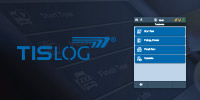
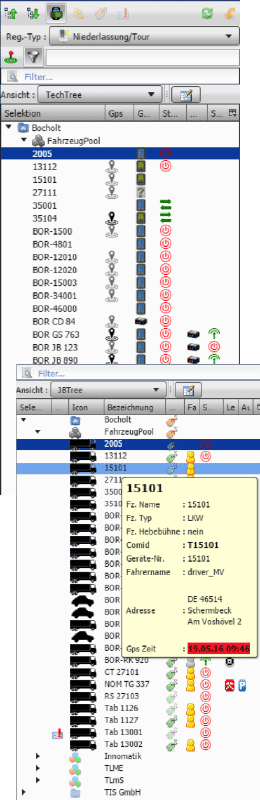 The display of vehicles of several fleets in a fleet tree is one of the central components of Infodesk. Thus information on the individual vehicles, select individual vehicles or entire fleets can quickly be viewed and selected, and complex functions such as scheduling operations or change in vehicles in fleets can quickly be performed with just a few clicks.
The variety of information that can be displayed in this "Fleet Tree" in the past created a problem to display all of the information in a clear form that has now been resolved. Formerly the selection of information over system settings was only possible for all users at the same time, now a user-configurable option has been created in the latest version Infodesk.
We have here resorted to the best practices of our table view. In the order tables, you can now select the items to be displayed, rearrange the order, and set the display width of each column in the fleet tree.
These customized settings can be stored as custom views, and selected over selection boxes. So you can, for example, in one view display the "technical" parameters, such as device status, GPS availability, radio status, etc., and in another the data for dispatching, such as route mapping, driver and driving time status and unread driver-mails.
As an administrator, you can make such views applicable systemwide to all users.
In conjunction with other text and status filters as well as tooltips it is thus easily possible to even keep track of large amounts of information exchanged within large fleets.
Conclusion: The configurable fleet tree is one further step to expand Infodesk as the portal for easy viewing of complex information contents in the context of mobile applications.
Our sales team will gladly advise you!
Do you have any questions about this news or general questions about our products and services?
Our colleagues in the TIS sales gladly take care of your questions concerns.
Please give us a call:
+49 2871 2722-0
Or send us an e-mail
More News

Call us
+49 2871 2722 - 0
OFFICE HOURS
Mo-Fr 8 am - 5 pm
EVENTS
Meet TIS live
at trade shows
and other industry events